Advanced Tech Stacks for Remote Professionals in the US
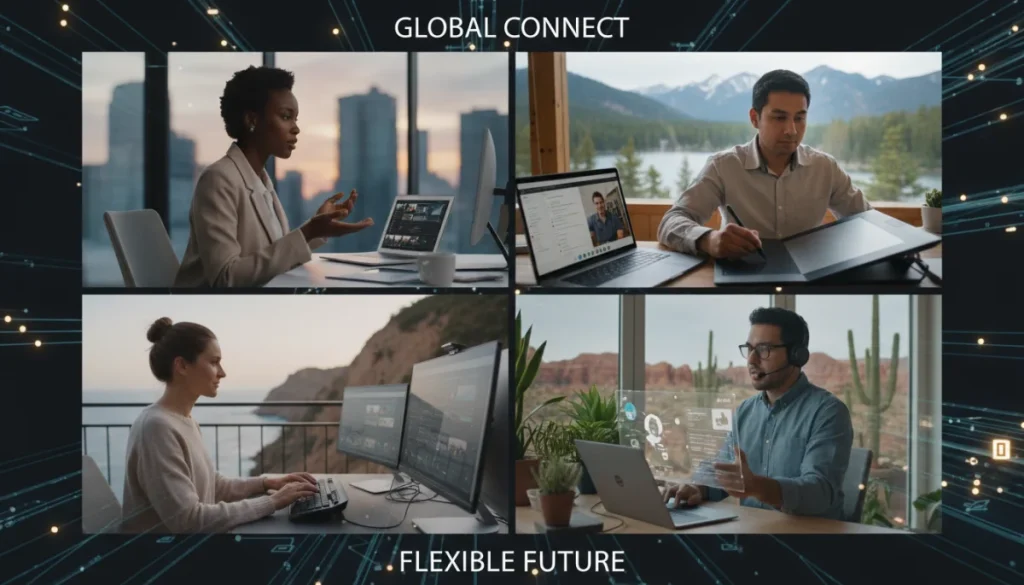
Remote professionals in the US leverage advanced tech stacks, including robust communication, project management, and security tools, to maintain high productivity and seamless collaboration from any location.
In today’s dynamic professional landscape, the ability to work remotely has become a cornerstone for many careers across the United States. For these professionals, a robust and efficient set of tools, or an advanced tech stack for remote professionals in the US, is not merely a convenience but a fundamental necessity. This article explores the critical components of such a tech stack, designed to maximize productivity, foster seamless collaboration, and ensure data security, enabling remote workers to thrive.
The foundation: communication and collaboration platforms
Effective communication is the lifeblood of any successful remote operation. Without the spontaneous interactions of a physical office, remote teams must rely heavily on digital platforms that replicate and even enhance these exchanges. Choosing the right communication and collaboration tools is the first, and arguably most crucial, step in building an effective remote tech stack.
These platforms go beyond simple messaging, offering integrated solutions for video conferencing, file sharing, and even virtual whiteboards. The goal is to minimize friction in communication, ensuring that information flows freely and efficiently between team members, regardless of their geographical location. It’s about creating a virtual office environment where ideas can be shared, decisions can be made, and projects can advance without delay.
Unified communication hubs
Modern remote work demands a centralized hub where all forms of communication converge. This prevents the fragmentation of conversations across multiple disparate applications, saving valuable time and reducing confusion.
- Slack: Widely adopted for its channel-based messaging, integrations with numerous other tools, and robust search capabilities.
- Microsoft Teams: A comprehensive platform that bundles chat, video meetings, file storage, and application integration, particularly popular within enterprises.
- Zoom: While primarily known for video conferencing, Zoom also offers chat and webinar functionalities, making it a versatile tool for various communication needs.
Advanced video conferencing solutions
Beyond basic video calls, advanced platforms offer features that enhance the remote meeting experience, making them more interactive and productive.
- Virtual backgrounds and noise suppression: Help maintain professionalism in diverse home environments.
- Breakout rooms: Facilitate smaller group discussions within larger meetings, mimicking in-person collaboration.
- Live transcription and recording: Ensure that all meeting details are captured for later reference and accessibility.
In essence, the right communication and collaboration platforms form the central nervous system of a remote operation. They enable real-time interaction, foster team cohesion, and provide the necessary infrastructure for shared understanding and progress. Investing in these tools is investing in the very fabric of remote team success.
Mastering productivity: project management and task automation
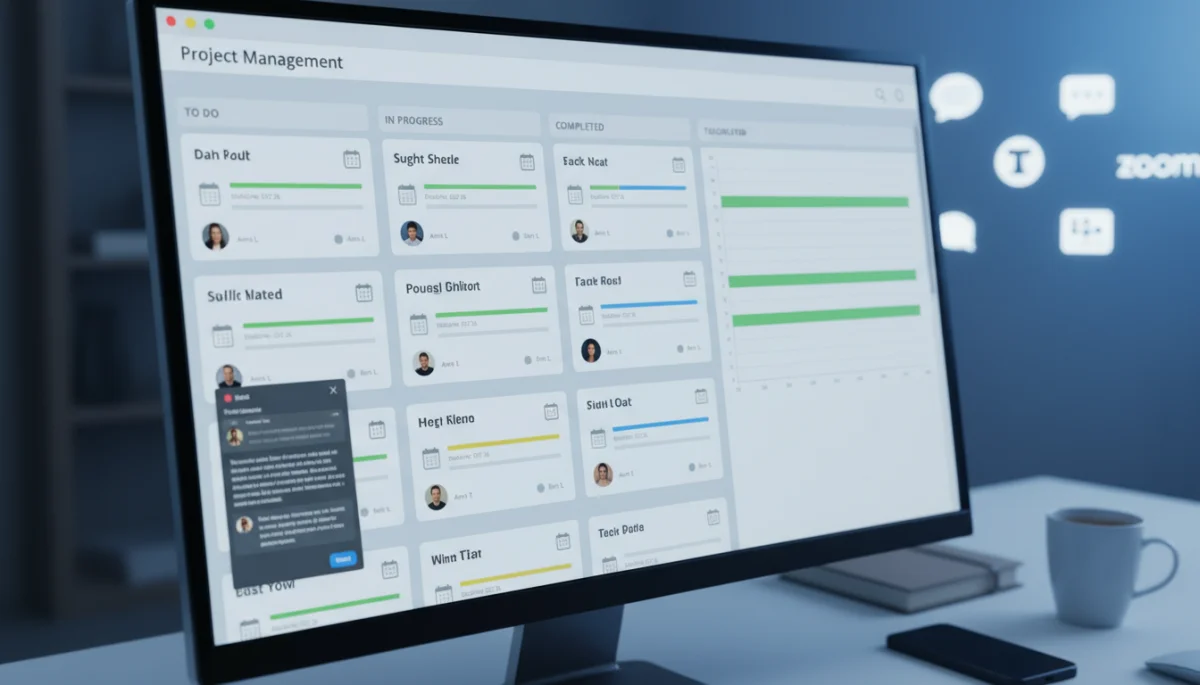
Remote work inherently requires a high degree of self-discipline and organizational prowess. Without direct oversight, individuals and teams must possess robust systems to manage tasks, track progress, and ensure accountability. This is where advanced project management and task automation tools become indispensable components of a remote professional’s tech stack.
These tools are designed to provide clarity on who is doing what, by when, and how it contributes to the larger objective. They transform abstract goals into actionable steps, providing a visual roadmap for project completion and enabling seamless coordination even across different time zones. The efficiency gained from automating routine tasks further liberates professionals to focus on higher-value activities.
Comprehensive project management systems
These platforms offer a centralized view of all projects, tasks, and deadlines, ensuring everyone is aligned and informed.
- Asana: Known for its flexibility in managing projects, tasks, and team workflows, suitable for various methodologies.
- Trello: A visual, card-based system that makes it easy to organize and prioritize tasks, ideal for agile teams.
- Jira: Often used by software development teams, offering powerful tools for issue tracking, project management, and agile methodologies.
Task automation and workflow optimization
Automating repetitive tasks saves significant time and reduces the potential for human error, boosting overall productivity.
Tools like Zapier and IFTTT allow professionals to connect different applications and automate workflows, such as sending notifications for completed tasks, syncing calendar events, or backing up files automatically. This creates a more streamlined and efficient work environment, allowing remote professionals to focus on strategic initiatives rather than administrative overhead. The continuous flow of information and automated reminders ensure that no task falls through the cracks, maintaining momentum in projects.
Ultimately, by leveraging these powerful tools, remote professionals can transform potential organizational chaos into a structured, productive environment. They provide the necessary framework for individual accountability and collective achievement, proving essential for any successful remote operation.
Fortifying defenses: cybersecurity and data protection
Working outside the traditional office perimeter introduces a unique set of security challenges. Remote professionals often access sensitive company data over diverse networks, making robust cybersecurity and data protection measures paramount. A truly advanced tech stack must include comprehensive solutions to safeguard information, maintain privacy, and comply with data regulations.
The goal is to create a secure digital perimeter around every remote workstation, protecting against phishing attempts, malware, unauthorized access, and data breaches. This involves not only software solutions but also fostering a culture of security awareness among all remote employees. Neglecting this aspect can have severe financial and reputational consequences for any organization.
Essential security protocols
Implementing strong security practices is non-negotiable for remote teams handling sensitive information. These protocols form the first line of defense.
- Virtual Private Networks (VPNs): Encrypt internet traffic, ensuring secure connections, especially when using public Wi-Fi networks.
- Multi-Factor Authentication (MFA): Adds an extra layer of security beyond just passwords, significantly reducing unauthorized access risk.
- Endpoint detection and response (EDR): Monitors and protects individual devices from advanced cyber threats.
Data backup and recovery solutions
Even with the best preventative measures, data loss can occur. Robust backup and recovery systems are crucial for business continuity.
Cloud-based backup solutions like Google Drive, Dropbox Business, or specialized enterprise backup services ensure that critical data is regularly saved off-site and can be quickly restored in case of device failure, cyber-attack, or accidental deletion. This provides peace of mind and minimizes downtime, allowing remote professionals to recover quickly from unforeseen incidents. Regular testing of these recovery protocols is also vital to ensure their effectiveness when needed.
In summary, a strong cybersecurity posture is not an optional add-on but an integral part of an advanced remote tech stack. It protects the company’s most valuable assets – its data and reputation – enabling remote professionals to work securely and confidently from any location.
Enhancing efficiency: cloud computing and virtual desktops
The flexibility of remote work is significantly amplified by the power of cloud computing and virtual desktop infrastructure (VDI). These technologies abstract the dependency on physical hardware, allowing professionals to access their complete work environment from virtually any device, anywhere. This not only enhances mobility but also streamlines IT management and ensures consistent access to necessary resources.
Cloud solutions enable shared access to applications and data, facilitating seamless collaboration and ensuring that everyone is working with the most current versions of files. Virtual desktops provide a standardized, secure, and easily manageable computing environment, critical for maintaining uniformity and security across a distributed workforce. Embracing these technologies is key to unlocking the full potential of remote operations.
Cloud-based productivity suites
These suites offer a comprehensive set of tools accessible via a web browser, reducing the need for local software installations.
- Google Workspace: Includes Gmail, Docs, Sheets, Slides, and Meet, providing a fully integrated cloud-native environment.
- Microsoft 365: Offers web and desktop versions of Word, Excel, PowerPoint, Outlook, and Teams, with robust cloud storage and collaboration features.
- Adobe Creative Cloud: Provides cloud-synced access to industry-standard creative applications for designers and media professionals.
Virtual desktop infrastructure (VDI)
VDI allows remote users to access a desktop operating system and applications hosted on a central server, providing a consistent and secure experience.
Solutions like Amazon WorkSpaces or VMware Horizon deliver personalized, secure virtual desktops that can be accessed from a variety of devices, including thin clients, tablets, or personal computers. This is particularly beneficial for organizations requiring strict control over their software environments or handling sensitive data, as all processing occurs on the server, not the end-user device. It also simplifies onboarding and offboarding, as virtual desktops can be provisioned or de-provisioned rapidly.
By integrating cloud computing and virtual desktops into their tech stack, remote professionals gain unparalleled flexibility and access. This empowers them to maintain high productivity and consistent performance, regardless of their physical location or the device they are using, marking a significant leap in remote work capabilities.
Specialized tools for specific remote roles
While core communication, project management, and security tools form the universal backbone of an advanced remote tech stack, many remote professionals require specialized software tailored to their specific roles. These niche tools enhance efficiency and capability within particular domains, allowing for deeper expertise and more sophisticated outputs. Integrating these specialized applications thoughtfully ensures that every aspect of remote work is optimized.
From coding environments for developers to advanced analytics platforms for data scientists, and creative suites for designers, the right specialized tools can significantly impact a professional’s effectiveness. The challenge lies in selecting tools that integrate well with the broader tech stack, preventing silos and ensuring data flow between different applications. This customization is what truly elevates a basic setup to an advanced, high-performing tech stack.
Development and engineering tools
Software developers and engineers working remotely rely on powerful environments and collaborative coding tools.
- GitHub/GitLab: Essential for version control, collaborative code development, and project management for software teams.
- Integrated Development Environments (IDEs): VS Code, IntelliJ IDEA, or Eclipse, often with cloud-based extensions for remote pair programming.
- Containerization platforms: Docker and Kubernetes for consistent development and deployment environments.
Design and creative suites
Graphic designers, video editors, and content creators require robust tools for their visual and multimedia tasks.
Beyond Adobe Creative Cloud, specialized tools include Figma for collaborative UI/UX design, Canva for quick graphic creation, and DaVinci Resolve or Final Cut Pro for video editing. These tools often leverage cloud storage and collaboration features, allowing creative teams to share large files, iterate on designs, and review content seamlessly across distances. The ability to work on high-fidelity projects remotely without sacrificing performance is critical for these roles.
By thoughtfully incorporating these specialized tools, remote professionals can perform their specific job functions with the same, or even greater, efficiency and quality as their in-office counterparts. This tailored approach ensures that the advanced tech stack is not just generic but precisely calibrated to meet the unique demands of diverse remote roles.
The evolving landscape: AI-powered tools and future trends
The realm of remote work technology is in constant flux, with artificial intelligence (AI) emerging as a transformative force. AI-powered tools are rapidly integrating into various aspects of the tech stack, promising to further enhance productivity, automate complex tasks, and provide deeper insights. Staying abreast of these developments is crucial for remote professionals in the US looking to maintain a competitive edge and optimize their workflows.
These innovations range from intelligent assistants that manage schedules to advanced analytics that predict project roadblocks, and sophisticated security systems that learn to identify new threats. The future of the advanced tech stack will undoubtedly be characterized by even greater intelligence, personalization, and automation, making remote work more seamless and efficient than ever before.
AI for enhanced productivity and insights
AI is beginning to revolutionize how remote professionals manage their time, tasks, and information.
- AI meeting assistants: Tools like Otter.ai automatically transcribe meetings, summarize key points, and identify action items.
- Smart scheduling tools: AI-driven calendars can optimize meeting times across different time zones and suggest optimal work blocks.
- Predictive analytics in project management: AI can analyze project data to identify potential delays or resource bottlenecks before they occur.
Emerging technologies and future considerations
Beyond current AI applications, other technologies are on the horizon that will shape the next generation of remote tech stacks.
Extended Reality (XR) platforms, including Virtual Reality (VR) and Augmented Reality (AR), are beginning to offer immersive collaboration spaces that could revolutionize remote meetings and training. Furthermore, advancements in edge computing promise to bring processing closer to the data source, reducing latency and enhancing the performance of remote applications. Remote professionals and organizations must remain agile, continuously evaluating and integrating these emerging technologies to keep their tech stacks cutting-edge and future-proof.
The continuous evolution of AI and other advanced technologies signifies an exciting future for remote work. By embracing these innovations, remote professionals can unlock new levels of efficiency, intelligence, and adaptability, ensuring their tech stacks remain at the forefront of productivity and collaboration.
| Key Component | Description & Benefit |
|---|---|
| Communication Platforms | Enable seamless team interaction, video conferencing, and file sharing for cohesive remote work. |
| Project Management Tools | Organize tasks, track progress, and ensure accountability across distributed teams. |
| Cybersecurity Solutions | Protect sensitive data and systems from threats, ensuring secure remote access. |
| Cloud Computing | Provides flexible access to applications and data, simplifying IT management for remote setups. |
Frequently asked questions about remote tech stacks
An advanced tech stack for remote professionals is a curated collection of software, hardware, and services designed to optimize productivity, facilitate collaboration, and ensure security for individuals working outside a traditional office environment. It typically includes tools for communication, project management, cybersecurity, and cloud access.
Cybersecurity is crucial because remote work often involves accessing sensitive data over varied networks, increasing vulnerability to threats. A robust cybersecurity component, including VPNs, MFA, and endpoint protection, safeguards company data, maintains privacy, and ensures compliance with data protection regulations, protecting both the professional and the organization.
AI tools enhance remote productivity by automating routine tasks, providing intelligent insights, and streamlining workflows. Examples include AI meeting assistants for transcription and summarization, smart scheduling tools for optimized calendars, and predictive analytics in project management to foresee potential issues. These innovations allow professionals to focus on higher-value work.
Cloud computing offers remote professionals unparalleled flexibility and accessibility. It allows access to applications and data from any device, anywhere, reducing dependency on physical hardware. This facilitates seamless collaboration, ensures everyone works with current files, and simplifies IT management, providing a consistent and secure work environment critical for distributed teams.
Choosing the right tech stack involves assessing specific job requirements, team collaboration needs, and security priorities. It’s essential to select tools that integrate well, offer scalability, and align with the organization’s overall IT strategy. Regular evaluation and adaptation to emerging technologies are also key to maintaining an optimized and efficient remote work setup.
Conclusion
The journey to mastering remote work in the US is intrinsically linked to the strategic adoption of an advanced tech stack. From foundational communication platforms to robust cybersecurity measures, efficient project management tools, and the innovative integration of cloud and AI technologies, each component plays a vital role in empowering professionals. By prioritizing a well-curated and continuously updated tech stack, remote workers can not only overcome geographical barriers but also unlock new levels of productivity, collaboration, and professional fulfillment, ensuring they remain at the forefront of the evolving digital workplace.
