Optimizing Your Home Office: Boost Remote Work Productivity
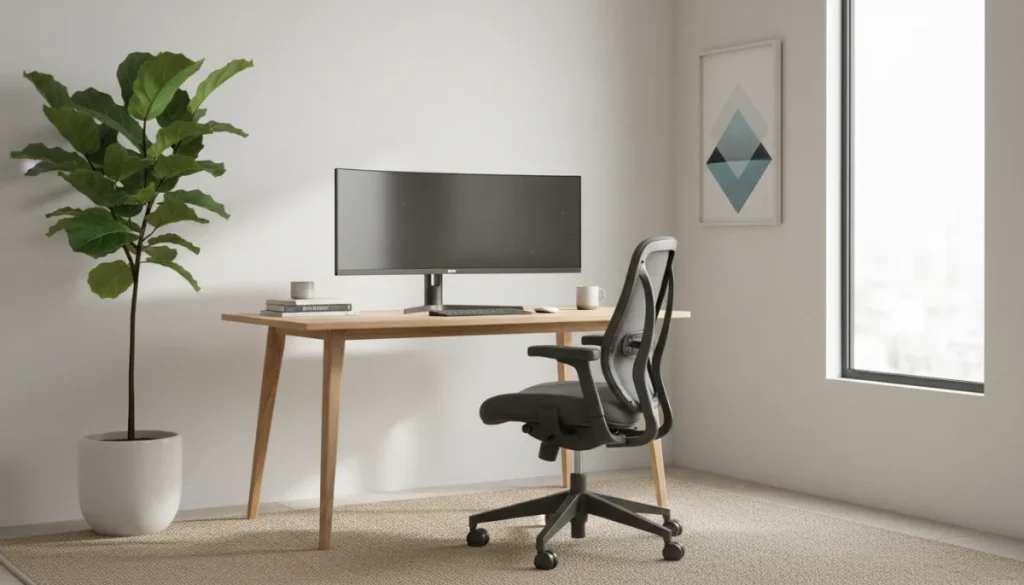
Optimizing your home office for remote work is crucial for maintaining productivity and well-being, involving strategic choices in physical setup, digital tools, and personal habits to create an ideal workspace.
In today’s evolving professional landscape, the home office has become more than just a temporary solution; it’s a permanent fixture for many. Effectively optimizing your home office for remote work is not merely about comfort but about cultivating an environment that fosters productivity, minimizes distractions, and supports long-term well-being. This comprehensive guide will walk you through transforming your workspace into a powerhouse of efficiency.
Establishing Your Dedicated Workspace
Creating a clear boundary between your personal life and professional responsibilities begins with a dedicated workspace. This isn’t just a suggestion; it’s a fundamental pillar for effective remote work. Even in smaller living arrangements, defining a specific area signals to your brain that it’s time to focus.
The psychological impact of a dedicated space cannot be overstated. When you consistently work in the same area, your mind associates that location with concentration and tasks, making it easier to transition into a productive mindset each day. This separation helps prevent work from bleeding into your personal time, which is crucial for maintaining a healthy work-life balance.
Choosing the Right Location
The ideal location for your home office should be quiet, well-lit, and free from common household distractions. Consider factors like natural light, proximity to power outlets, and potential noise sources within your home.
- Natural light: Position your desk near a window to maximize natural light, which can boost mood and reduce eye strain.
- Minimize traffic: Avoid high-traffic areas like hallways or living rooms if possible, to reduce interruptions.
- Noise reduction: If a quiet room isn’t available, consider noise-canceling headphones or strategic placement away from loud appliances.
Even a small corner can be transformed into an efficient workspace with the right planning. The key is consistency; once you’ve designated your spot, commit to using it primarily for work activities. This routine reinforces the mental distinction between work and leisure, enhancing your focus and overall productivity.
Ultimately, establishing a dedicated workspace is the first critical step in optimizing your home office for remote work. It sets the stage for all subsequent improvements, creating a foundation for sustained focus and professional output in your remote role.
Ergonomics: Prioritizing Your Physical Well-being
When you spend hours at a desk, ergonomics isn’t a luxury; it’s a necessity. An ergonomically sound setup prevents discomfort, reduces the risk of long-term health issues like carpal tunnel syndrome or back pain, and directly contributes to sustained productivity. Ignoring ergonomics can lead to significant health problems, impacting your ability to work effectively.
Investing in ergonomic equipment is an investment in your health and career longevity. While it might seem like an upfront cost, the benefits of avoiding medical expenses and lost productivity far outweigh the initial outlay. Proper ergonomics ensures that your body is supported, allowing you to focus on your tasks without constant physical distractions.
Essential Ergonomic Equipment
Focus on key pieces of equipment that offer the most significant ergonomic benefits. These foundational items will provide the support necessary for long hours of work.
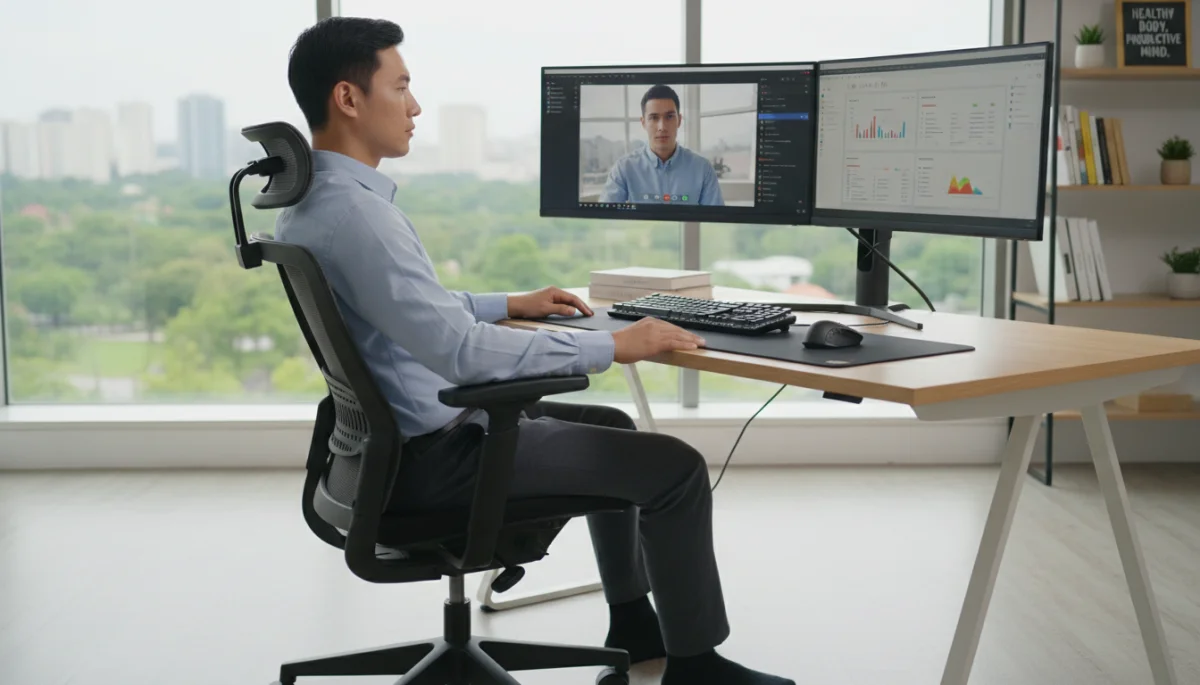
- Ergonomic chair: A chair with adjustable height, lumbar support, armrests, and seat depth is paramount. It should support the natural curve of your spine.
- Adjustable desk: A sit-stand desk allows you to alternate between sitting and standing, reducing sedentary behavior and improving circulation.
- External monitor: Position your monitor at arm’s length, with the top of the screen at or slightly below eye level, to prevent neck strain.
- External keyboard and mouse: These allow you to maintain a neutral wrist position, unlike typing directly on a laptop.
Beyond equipment, proper posture is vital. Ensure your feet are flat on the floor or a footrest, your knees are at a 90-degree angle, and your wrists are straight. Take regular breaks to stretch and move around, even if it’s just for a few minutes. These micro-breaks can significantly alleviate muscle tension and mental fatigue, reinforcing the benefits of your ergonomic setup.
By prioritizing ergonomics, you not only safeguard your physical health but also create a more comfortable and efficient work environment. This proactive approach to well-being is a core component of optimizing your home office for remote work, ensuring you can perform at your best day after day.
Optimizing Your Digital Environment and Workflow
A productive home office isn’t just about physical setup; it extends into your digital realm. An organized digital workspace and streamlined workflow are critical for efficient remote work, reducing cognitive load and maximizing focus. Digital clutter can be just as distracting as physical clutter, leading to wasted time and increased stress.
Think of your digital environment as a virtual desk. Just as you wouldn’t leave physical papers scattered everywhere, your digital files and applications should be neatly arranged. This organization allows for quick retrieval of information and seamless transitions between tasks, which is vital in a fast-paced remote work setting.
Streamlining Your Digital Tools
Leverage technology to your advantage by selecting and organizing tools that enhance your workflow rather than complicate it. The right tools, used effectively, can significantly boost your productivity.
- File management: Implement a consistent naming convention and folder structure for all your digital files. Utilize cloud storage for easy access and backup.
- Communication platforms: Consolidate your communication to a few key platforms (e.g., Slack, Microsoft Teams, email) and manage notifications effectively.
- Task management software: Tools like Asana, Trello, or Monday.com can help you track projects, set deadlines, and collaborate with team members.
Beyond tools, establishing clear digital routines is essential. Schedule specific times for checking emails, responding to messages, and performing administrative tasks. This prevents constant interruptions and allows for dedicated blocks of deep work. Regularly declutter your desktop, uninstall unused applications, and clear out old files to maintain a lean and efficient digital space. A clean digital environment contributes directly to a clear mind, making it easier to concentrate on high-priority tasks.
By actively optimizing your digital environment and workflow, you create a seamless and efficient remote work experience. This strategic approach to digital organization is a cornerstone of successfully optimizing your home office for remote work, ensuring your technology serves your productivity goals.
Enhancing Focus and Minimizing Distractions
Distractions are the arch-nemesis of productivity, especially in a home environment where personal and professional lives often intertwine. Actively managing potential interruptions is crucial for maintaining concentration and achieving deep work states. Without a deliberate strategy, your focus can be fragmented, leading to reduced output and increased frustration.
The ability to focus intently on a single task for extended periods is a superpower in the remote work world. It allows for higher quality work, faster completion times, and a greater sense of accomplishment. Minimizing distractions isn’t about eliminating every possible interruption, but about creating an environment where deep work is the default, not the exception.
Strategies for a Distraction-Free Zone
Implementing specific strategies can help you create a sanctuary of concentration within your home office. These practices address both external and internal sources of distraction.
- Time blocking: Allocate specific blocks of time for focused work, during which you avoid checking emails or social media.
- Notification management: Turn off unnecessary notifications on your computer and phone to prevent constant interruptions.
- Communicate boundaries: Inform household members of your work schedule and politely request minimal interruptions during designated focus times.
- Noise control: Use noise-canceling headphones, listen to instrumental music, or use white noise generators to mask distracting sounds.
Beyond these external measures, self-discipline plays a significant role. Practice mindfulness to recognize when your mind wanders and gently redirect it back to the task at hand. Consider techniques like the Pomodoro Technique, which involves working in focused 25-minute intervals followed by short breaks, to train your attention span. Regularly assessing what distracts you most and proactively addressing those issues will refine your ability to maintain focus.
By consciously enhancing your focus and implementing strategies to minimize distractions, you transform your home office into a highly productive space. This commitment to uninterrupted work is vital for optimizing your home office for remote work, ensuring you can consistently deliver high-quality results.
Maintaining Work-Life Balance in a Home Office
The blurred lines between work and personal life are one of the biggest challenges of remote work. Without clear boundaries, it’s easy to overwork, leading to burnout and diminished well-being. Establishing and maintaining a healthy work-life balance is not just beneficial; it’s essential for long-term sustainability and job satisfaction in a home office setting.
Remote work offers incredible flexibility, but this flexibility can also be a double-edged sword if not managed properly. The constant proximity to your workspace can make it tempting to check emails late at night or work through weekends. However, consistent overwork ultimately leads to decreased productivity and personal dissatisfaction.
Strategies for Healthy Boundaries
Proactive strategies are needed to ensure your work doesn’t consume your entire life. These boundaries protect your personal time and mental health.
- Set clear work hours: Define a start and end time for your workday and stick to them as much as possible.
- Create a shutdown routine: At the end of your workday, have a ritual to signal the transition from work to personal life. This could be closing your laptop, tidying your desk, or going for a short walk.
- Schedule breaks and meals: Ensure you take proper lunch breaks and short pauses throughout the day to recharge.
- Disconnect completely: After work hours, avoid checking work emails or messages. Dedicate time to hobbies, family, and personal activities.
The physical separation of your dedicated workspace also aids in maintaining work-life balance. When you leave your office area, even if it’s just moving to another room, it helps create a mental break. Encourage your family and friends to respect your work hours, but also ensure you respect your own personal time when the workday is over. This mutual respect for boundaries is key.
By intentionally maintaining a healthy work-life balance, you safeguard your mental and physical health, which in turn enhances your productivity and creativity during work hours. This aspect is fundamental to truly optimizing your home office for remote work, ensuring a fulfilling and sustainable career.
Optimizing Connectivity and Technology Reliability
In a remote work setup, your internet connection and technology infrastructure are your lifelines. Unreliable connectivity or outdated equipment can lead to significant frustration, lost productivity, and missed opportunities. Ensuring robust internet and reliable technology is paramount for seamless operation and effective collaboration.
Think of your home office’s technical backbone as the nervous system of your remote work. Any disruptions can have cascading effects, from dropped video calls to inability to access critical files. Proactive measures to secure and optimize your connectivity ensure you remain productive and connected, regardless of your physical location.
Ensuring Seamless Operation
Focus on foundational elements to build a reliable technological environment. These steps will minimize technical glitches and maximize your uptime.
- High-speed internet: Invest in the fastest and most reliable internet plan available in your area. Consider a backup internet option if your work is mission-critical.
- Router placement: Position your Wi-Fi router centrally in your home, away from obstructions, to maximize signal strength.
- Ethernet connection: For critical tasks like video conferencing, use an Ethernet cable for a more stable and faster connection than Wi-Fi.
- Regular updates: Keep your operating system and all software updated to benefit from security patches and performance improvements.
Beyond connectivity, ensuring your hardware is up to par is essential. Regularly back up your data to cloud services or external drives to prevent loss in case of a hardware failure. Consider a quality webcam and microphone for clear communication during virtual meetings. Having a basic troubleshooting guide or knowing how to quickly contact IT support can also save valuable time when issues arise. A well-maintained and robust technological setup prevents minor annoyances from becoming major roadblocks.
By actively optimizing your connectivity and ensuring technology reliability, you create a resilient remote work environment. This technical foresight is a vital component of optimizing your home office for remote work, allowing you to focus on your tasks without constant technical worries.
Personalizing and Inspiring Your Workspace
While functionality and ergonomics are critical, a truly optimized home office also reflects your personality and inspires creativity. A personalized space can significantly impact your mood, motivation, and overall job satisfaction. Your workspace should be a place where you feel comfortable, focused, and genuinely happy to spend your working hours.
The aesthetic and emotional appeal of your office are often underestimated. A drab, uninspiring environment can drain your energy and stifle creativity. Conversely, a space that resonates with you can enhance your well-being, making work feel less like a chore and more like a fulfilling endeavor. This personal touch is the final layer in creating an ideal remote work setup.
Elements of an Inspiring Office
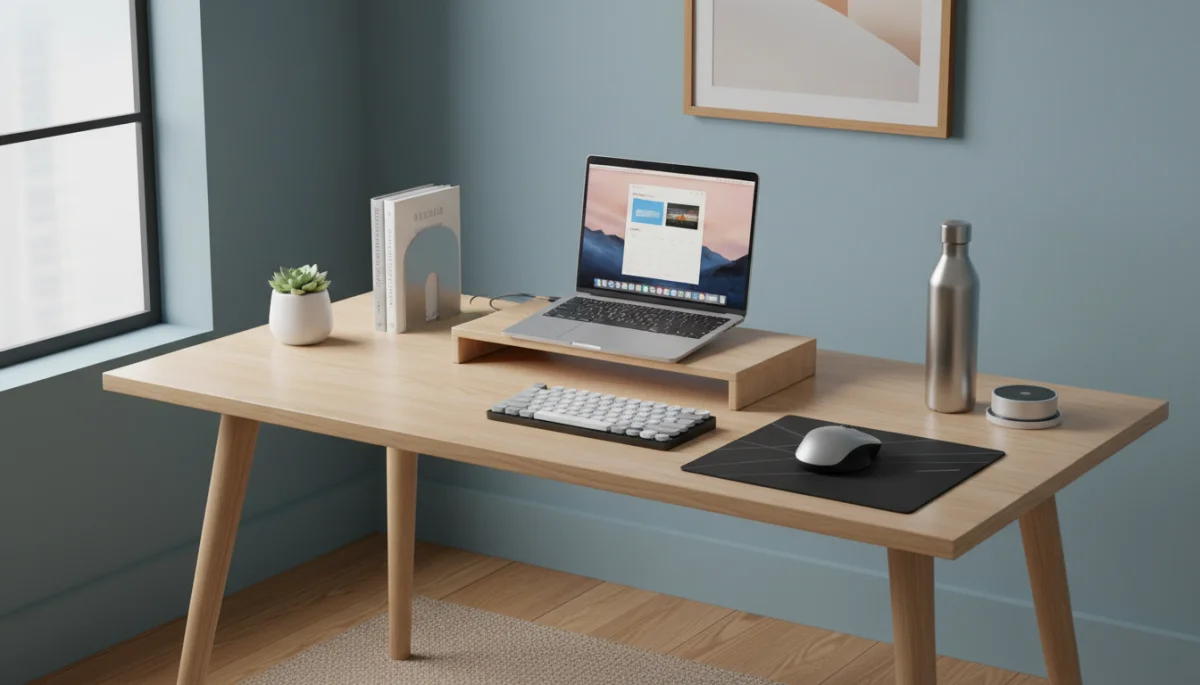
Infuse elements that reflect your taste and promote a positive atmosphere. These personal touches transform a generic workspace into your unique professional sanctuary.
- Plants: Introduce indoor plants to improve air quality, reduce stress, and add a touch of nature to your environment.
- Personal items: Display a few meaningful photos, art pieces, or small trinkets that bring you joy and motivation.
- Lighting: Supplement natural light with warm, adjustable artificial lighting to reduce eye strain and create a cozy ambiance.
- Color scheme: Choose colors that promote focus and calmness, such as blues, greens, or muted neutrals.
Consider adding elements that stimulate your senses in a positive way. A subtle diffuser with essential oils, a comfortable blanket for cooler days, or a small selection of inspiring books can all contribute to a more pleasant working experience. Regularly decluttering and cleaning your space also contributes to a sense of calm and order, which in itself can be inspiring. The goal is to create an environment that not only supports your tasks but also nurtures your mind and spirit.
By personalizing and inspiring your workspace, you complete the journey of optimizing your home office for remote work. This final step transforms a functional area into a truly enjoyable and motivating environment, fostering creativity, productivity, and overall well-being in your professional life.
| Key Aspect | Brief Description |
|---|---|
| Dedicated Workspace | Crucial for mental separation of work and personal life, enhancing focus and routine. |
| Ergonomics | Prioritizing physical health through proper equipment prevents pain and boosts productivity. |
| Digital Organization | Streamlining files and tools reduces clutter and improves workflow efficiency. |
| Work-Life Balance | Setting boundaries and routines prevents burnout and sustains long-term well-being. |
Frequently Asked Questions About Home Office Optimization
Natural light is highly important as it positively impacts mood, reduces eye strain, and can even boost cognitive function. Positioning your desk near a window is ideal for maximizing these benefits, contributing to a more pleasant and productive work environment throughout the day.
The most crucial ergonomic investments are an adjustable ergonomic chair, an external monitor positioned at eye level, and an external keyboard and mouse. These items collectively support proper posture, reduce strain on your body, and prevent long-term health issues associated with prolonged sitting.
To minimize digital distractions, implement time blocking for focused work, turn off unnecessary notifications on all devices, and use website blockers for social media during work hours. Regularly decluttering your digital files and desktop also reduces visual and cognitive clutter, enhancing overall focus.
Effective strategies include setting clear work hours, creating a consistent end-of-day shutdown routine, and communicating boundaries to household members. It’s also vital to fully disconnect from work after hours, dedicating time to personal activities and hobbies to prevent burnout and maintain well-being.
Yes, an Ethernet connection is generally more stable and faster than Wi-Fi, especially for critical tasks like video conferencing or large file transfers. It reduces latency and interference, providing a more reliable and consistent internet connection which is essential for uninterrupted remote work productivity.
Conclusion
Optimizing your home office for remote work is a multifaceted endeavor that significantly impacts your productivity, well-being, and overall career satisfaction. By thoughtfully addressing aspects such as creating a dedicated workspace, prioritizing ergonomics, streamlining your digital environment, minimizing distractions, maintaining work-life balance, and ensuring robust connectivity, you transform your home office into a powerful hub of efficiency. Each element contributes to a cohesive environment where you can thrive, focus, and deliver your best work while enjoying the flexibility that remote work offers. Investing time and effort into these optimizations is not just about improving your workspace; it’s about investing in your professional success and personal health in the long run.
